18-10-2025 03:16 PM
Whenever I login into the Samsung account every device that is signed into the account gets a notification, due to the two-step notification.
Technically I could chose which device gets the notification, but it does not happen in practice. I get a notification in all devices despite being unselected.
Device selection can be done by going on:
Settings -> Accounts and backup -> Manage accounts -> Samsung account -> My profile -> Security and privacy -> Two-step verification -> Galaxy device notification (n) -> Devices can be toggle on/off
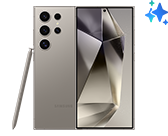
I have selected the Galaxy S24 Ultra to be the device receiving notification.

The Samsung account does not honour those settings. My settings have the S24 Ultra as the only device to receive notification but clearly all of them received it.

Is there a way, to change this behaviour?
Security also show trusted devices, with a button to remove them all.
Is there a way to list them and remove them individually?


18-10-2025 05:47 PM

18-10-2025 07:10 PM - last edited 18-10-2025 07:15 PM
62 devices 😵💫😮😬, but I guess real number is 5 and you can see them in SmartThings, rest to 62 are apps, browsers or something like that and every time when you change your passwords and choose to log out of all, when you log in again Samsung count them as new devices, you can see that in recent account activity for last 12 months
19-10-2025 07:32 AM
Yes, I also had checked the web. The bulk remove seems a very blunt tool.
19-10-2025 07:38 AM
Yes, I had checked account activity, but again, it is not very useful. Nothing can be done with those entries. It would nice to be able to remove those devices individually. I do not want to remove the browser instance that I am using or my devices.